Read in
5
min
Accounting Automation Case Study: How a CPA Firm Reduced 400+ Hours of Manual Work
This case is based on a composite of multiple CPA/accounting firms we’ve worked with in the 50–100 employee range. The structure, workflows, and problems are not hypothetical. If you run a firm in this size bracket, this will feel familiar.

The Firm (Before Changes)
~70 employees
~18 in bookkeeping / accounting ops
~12 in client servicing
Rest across audit, tax, admin
Services They Offered
Monthly bookkeeping
Tax filings
Financial reporting
Client load:
~220 active clients

What Was Actually Happening (Day-to-Day Reality)
When we looked at their workflows, nothing was “broken.”
But everything was manual, fragmented, and dependent on people remembering things.
Document Collection Was a Constant Chase
Each month Clients had to send:
Bank statements
Invoices
Expense records
What the team was doing:
Sending manual email reminders
Following up 2–3 times per client
Tracking responses in inboxes or spreadsheets
Example
A typical flow looked like:
Accountant emails client → “Please send documents”
No response
Follow-up after 3 days
Client sends partial data
Another follow-up
Time Spent (Real Breakdown)
Avg time per client follow-up cycle: 12–15 minutes
Avg clients per accountant: 15–20
Follow-ups per month: 2 cycles per client
High level math:
15 minutes × 18 clients × 2 cycles = 540 minutes/month per accountant (~9 hours)
Across 12 accountants → ~108 hours/month
Data Entry Was Repetitive and Error-Prone
Once documents arrived, team manually:
Read PDFs
Extract numbers
Enter into accounting software
While Reality:
Same type of documents every month
Same structure
Still manually processed
Time Spent:
Avg 6-8 minutes per document
~25 documents/client/month
Math:
7 minutes × 25 docs = 175 minutes (~3 hours/client/month)
Across 220 clients → ~660 hours/month
Even if only 40% was truly repetitive work, that’s still:
~260+ hours/month of manual, repeatable effort
Reporting Was Slower Than It Should Be
Monthly reporting involved:
Pulling data from accounting systems
Formatting reports
Writing basic summaries
Reality:
Same report structure every month
Still rebuilt manually
Time Spent
Avg 45 - 60 minutes per report
220 clients
~165–220 hours/month
Summary of Where Time Was Going
Area | Monthly Hours |
|---|---|
Client follow-ups | ~108 hrs |
Repetitive data entry | ~260 hrs |
Reporting | ~180 hrs |
Total | ~548 hours/month |
Not all of this can or should be automated.
But a large portion was:
Predictable
Repetitive
Rule-based
Let's now see what we changed.
What We Changed (No “Big AI Strategy” - Just Process Fixes)
We did not try to overhaul the entire firm.
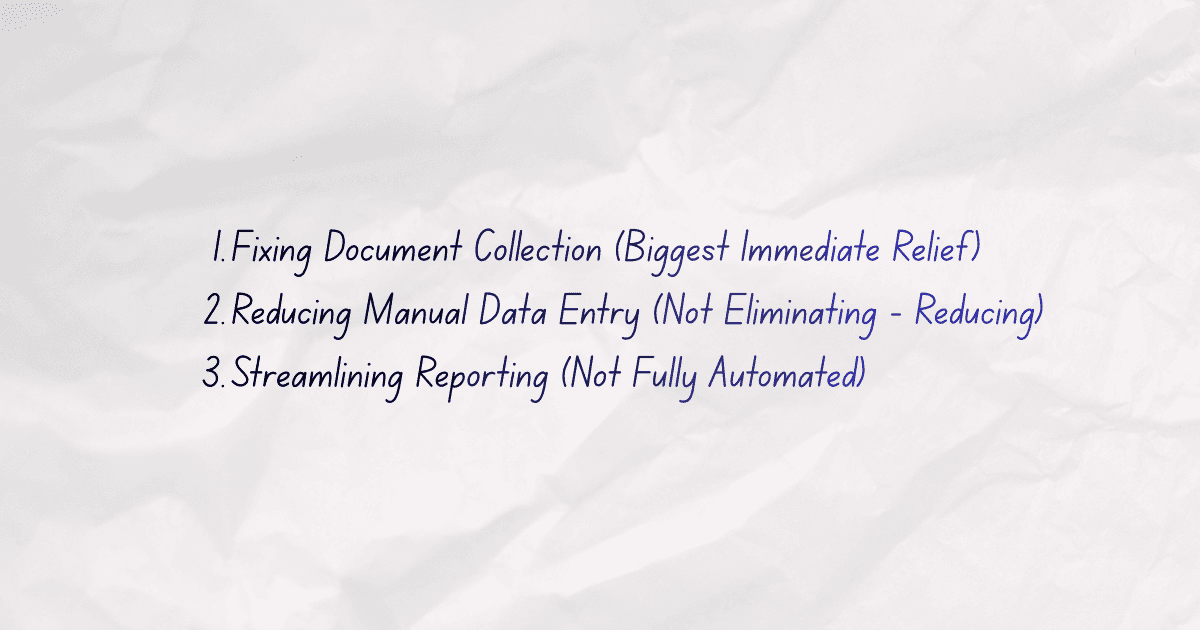
We focused on 3 specific workflows.
Fixing Document Collection (Biggest Immediate Relief)
What changed
Instead of:
Manual emails
Inbox tracking
We implemented:
Structured document request system
Pre-defined request templates
Automated reminders based on:
Missing documents
Deadlines
What this replaced:
2–3 manual follow-ups → reduced to 1 exception-based follow-up
Time After Change
Avg time per client: 4–5 minutes (only exceptions)
New math:
5 minutes × 18 clients = 90 minutes (~1.5 hours/month per accountant)
Across 12 accountants → ~18 hours/month
Time Saved
From ~108 hours → ~18 hours
~90 hours/month saved
Reducing Manual Data Entry (Not Eliminating - Reducing)
We did not aim for full automation.
We focused on:
Standard document types
High-frequency inputs
AI Document Processing System
Automated extraction of financial data from invoices, receipts, and PDFs
Direct sync into accounting systems
What changed:
Data extraction handled automatically for:
Standard invoices
Bank statements
Manual review still kept (important for accuracy)
What this replaced:
Full manual entry → review + correction model
Time After Change
From ~7 minutes → ~2–3 minutes per document
Math:
3 minutes × 25 docs = 75 minutes (~1.25 hrs/client/month)
Across 220 clients → ~275 hours/month
Time Saved
From ~660 hours → ~275 hours
~385 hours/month saved
(Realistically, only ~60–70% of this is usable capacity due to variability)
Effective gain: ~230–260 hours/month
Streamlining Reporting (Not Fully Automated)
We didn’t “auto-generate everything.”
We standardized:
Report templates
Data pulling
First draft summaries
What changed:
Reports pre-structured
Data auto-filled
Accountant only reviews + adds insights
Time After Change
From ~50 minutes → ~20–25 minutes/report
Math:
25 minutes × 220 = ~92 hours/month
Time Saved
From ~180 hours → ~92 hours
~88 hours/month saved
Total Impact (Consolidated)
Area | Time Saved |
|---|---|
Client communication | ~90 hrs |
Data entry | ~230–260 hrs |
Reporting | ~88 hrs |
Total | ~400–440 hours/month |
~400 hours/month = ~100 hours/week
Across ~70 employees → ~1.5 hours per person per week
But more importantly:
Bookkeeping team freed up 20–30% of their time
No additional hiring needed despite growing client load
What Actually Improved (Beyond Time)
1. Less Operational Chaos
Fewer missed documents
Less inbox dependency
Clear workflows
2. Better Client Experience
Faster turnaround
Fewer back-and-forth emails
More structured communication
3. Shift Toward Higher-Value Work
Accountants spent less time on:
Chasing
Typing
And more time on:
Reviewing
Advising
Catching issues early
What Didn’t Change (Important)
Final review was still human
Complex cases were still manual
Not everything was automated
This is important.
The goal wasn’t to "Remove Humans".
The goal was “Remove unnecessary manual effort.”
Why This Works for Firms Like This
Firms in the 50–100 employee range are at a specific stage:
Too big for scrappy workflows
Too small for heavy enterprise systems
Which creates:
Process debt
टीम dependency
Hidden inefficiencies
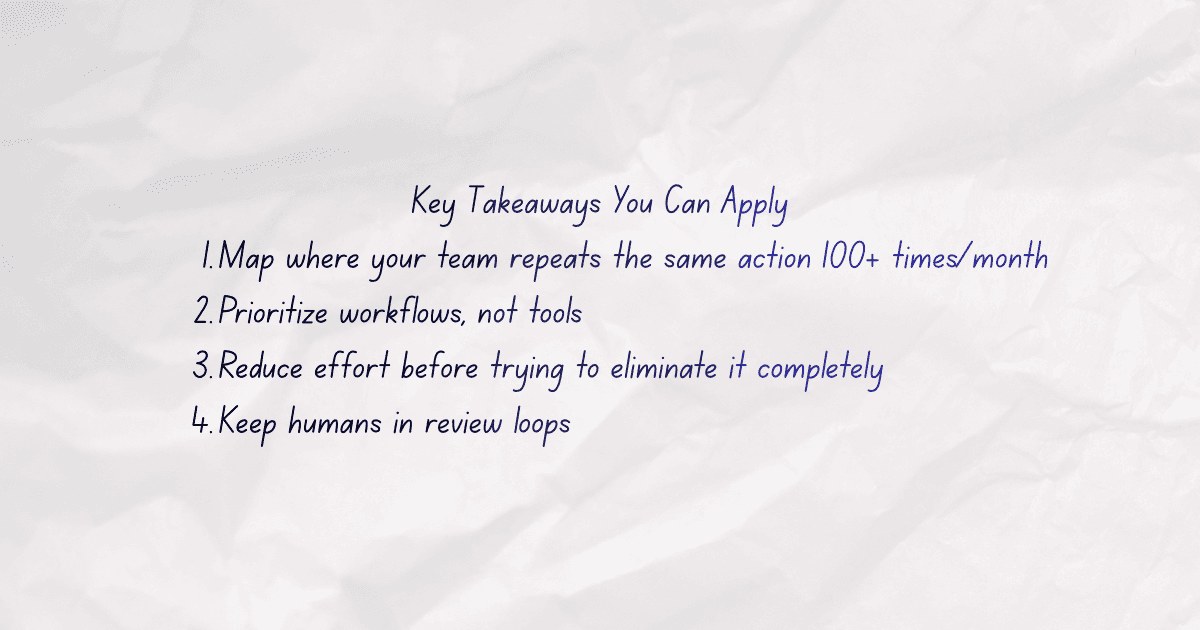
Key Takeaways You Can Apply
If you run a CPA firm, this is where to start:
Map where your team repeats the same action 100+ times/month
Prioritize workflows, not tools
Reduce effort before trying to eliminate it completely
Keep humans in review loops
Final Thoughts
Most firms don’t have a technology problem.
They have a workflow clarity problem.
Once that’s solved, automation becomes obvious.
If you’re serious about implementing this in your firm, we can help you map and execute it end-to-end. Feel free to Contact Us today.